
How Do I Upgrade My Subscription to TBN+ Premium?
Upgrading your TBN+ plan to Premium unlocks an enhanced, ad-free viewing experience along with exclusive content you can watch anytime, anywhere. Whether you’re looking to remove ads or access more faith-based programming, upgrading is quick and easy.
What You Get with TBN+ Premium
When you upgrade to TBN+ Premium, you’ll gain access to:
Ad-free streaming across all devices
Exclusive TBN+ Originals and special events
On-demand access to sermons, series, and faith-based films
Early or extended access to select programs and seasonal content
The ability to watch anytime, anywhere with uninterrupted viewing
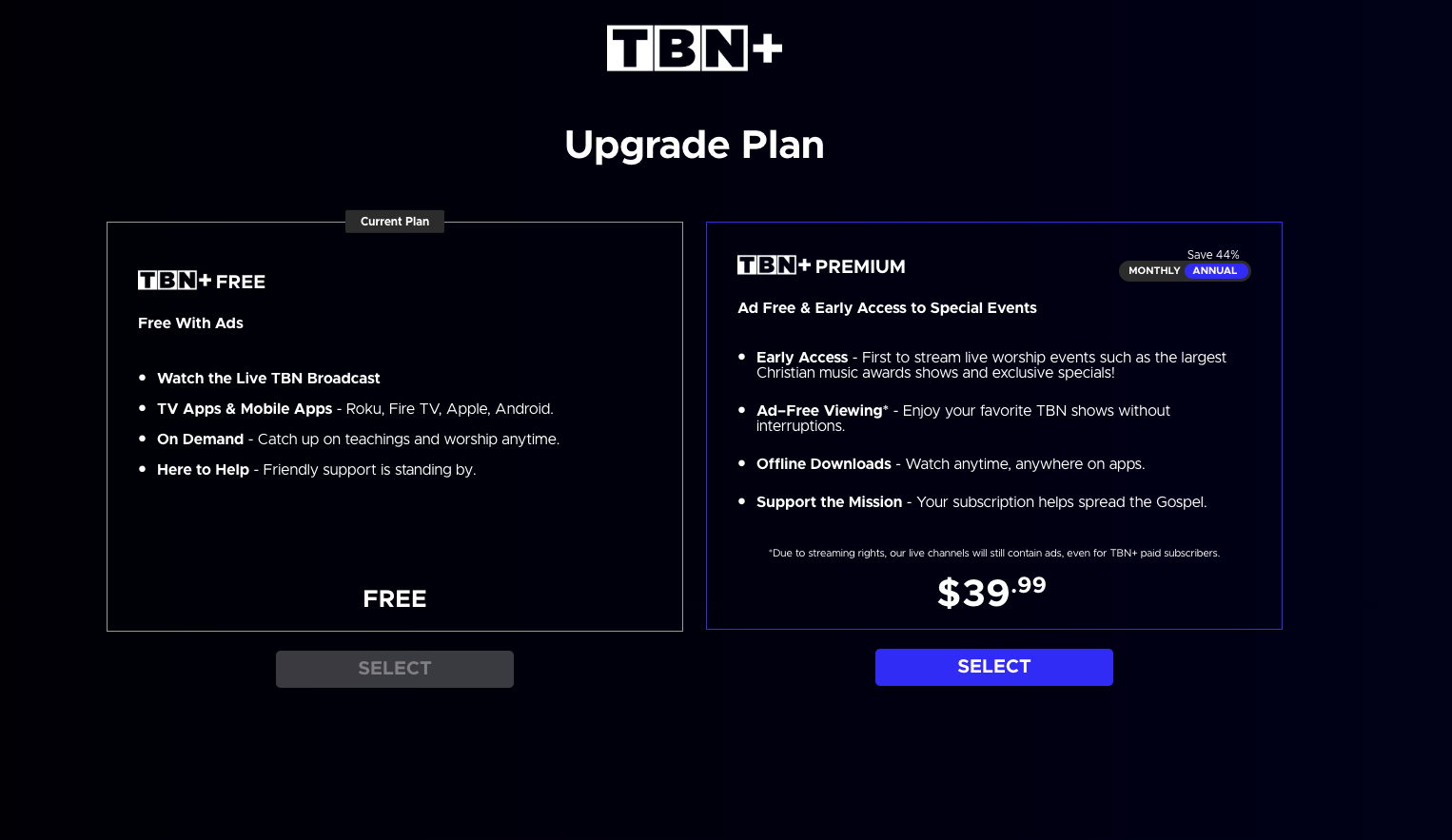
How to Upgrade on the TBN+ Website (Web)
If you’re currently using the free, ad-supported version of TBN+:
Go to www.tbnplus.com/login
Log in to your account
Click the Upgrade Plan button in the top right corner
Select your preferred plan
Enter your billing details
Confirm your upgrade
Once your upgrade is complete, you’ll immediately have access to Premium content.
Subscriptions Through Apple, Google, or Roku
If you subscribed through a third-party provider, plan changes and upgrades must be managed directly through that platform:
Apple (iPhone, iPad, Apple TV)
Open Settings
Tap your name, then click on Subscriptions
Select TBN+
Choose a new plan or upgrade option
Google Play (Android)
Open the Google Play Store
Tap your profile icon, then Payments & Subscriptions, then Subscriptions
Select TBN+
Choose your new plan and follow the prompts
Roku
Press the Home button on your Roku remote
Highlight the TBN+ app
Press the Star (*) button
Select Manage Subscription
Choose Change Plan (if available) or update your subscription
Frequently Asked Questions
Can I upgrade my TBN+ plan at any time?
Yes, you can upgrade your TBN+ plan at any time. In most cases, your Premium access begins immediately after upgrading.
Will I be charged immediately when I upgrade?
If you upgrade to TBN+ Premium, you may be charged right away. Depending on your billing provider, your charge may be prorated based on your current billing cycle.
What happens to my current plan when I upgrade?
Your current plan will be replaced by your new Premium plan. You’ll gain access to ad-free streaming and Premium content as soon as the upgrade is complete.
Can I switch back to the free version later?
Yes, you can cancel your Premium subscription at any time. Once your billing period ends, your account will return to the free, ad-supported version of TBN+.
Why don’t I see an option to upgrade my plan?
If you subscribed through Apple, Google, or Roku, you’ll need to manage your subscription directly through that platform’s settings. Upgrade options may not appear on the TBN+ website in this case.
Will I lose my watch history or saved content if I upgrade?
No, your watch history, preferences, and saved content will remain the same when you upgrade your plan.
How do I know if I have TBN+ Premium?
You can check your subscription status by going to your Account page and viewing the Subscription section.
Need Help?
If you’re unsure how you subscribed or need help upgrading your plan, submit a ticket at help.tbnplus.com and our friendly customer service team will be happy to help.